How to Ignore Files in Git with .gitignore
In a hurry? Watch our brief 1-minute vertical video that summarizes the info below.
Create a .gitignore file in your project's root directory and list one pattern per line - like /node_modules or *.log - to tell Git which files and folders to leave out of version control.
That part's simple. The mistake almost everyone makes is adding a file to .gitignore after it's already been committed - which doesn't work, because Git is already tracking it. Below: how to actually untrack it, plus the negation rules and Tower's point-and-click way to manage ignores.
Using a .gitignore File
To start ignoring files, you first need to create a file named .gitignore in the root directory of your project.
Inside this file, you can list the files and directories you want Git to ignore, with one pattern per line.
Here are some common examples:
# Ignore a specific file
my-secret-file.txt

# Ignore all files with a certain extension
*.log

# Ignore a whole directory
/node_modules

# You can also add exceptions with the "!" operator
# This ignores the /config directory, but NOT the keep_me.yml file inside it
/config/*
!/config/keep_me.yml
The Git Cheat Sheet
No need to remember all those commands and parameters: get our popular "Git Cheat Sheet" - for free!
Ignoring a File That is Already Tracked
If you've already committed a file by mistake, simply adding its path to .gitignore won't be enough. Git will continue to track it because it's already in the repository's index.
You first need to tell Git to stop tracking the file by using the git rm --cached command:
$ git rm --cached my-temp-file.txtThis command removes the file from Git's tracking but keeps the actual file in your local directory. After running this command, you can add the file's path to your .gitignore file, and Git will ignore it from now on.
No Command Line Needed
Ignoring Files in Tower
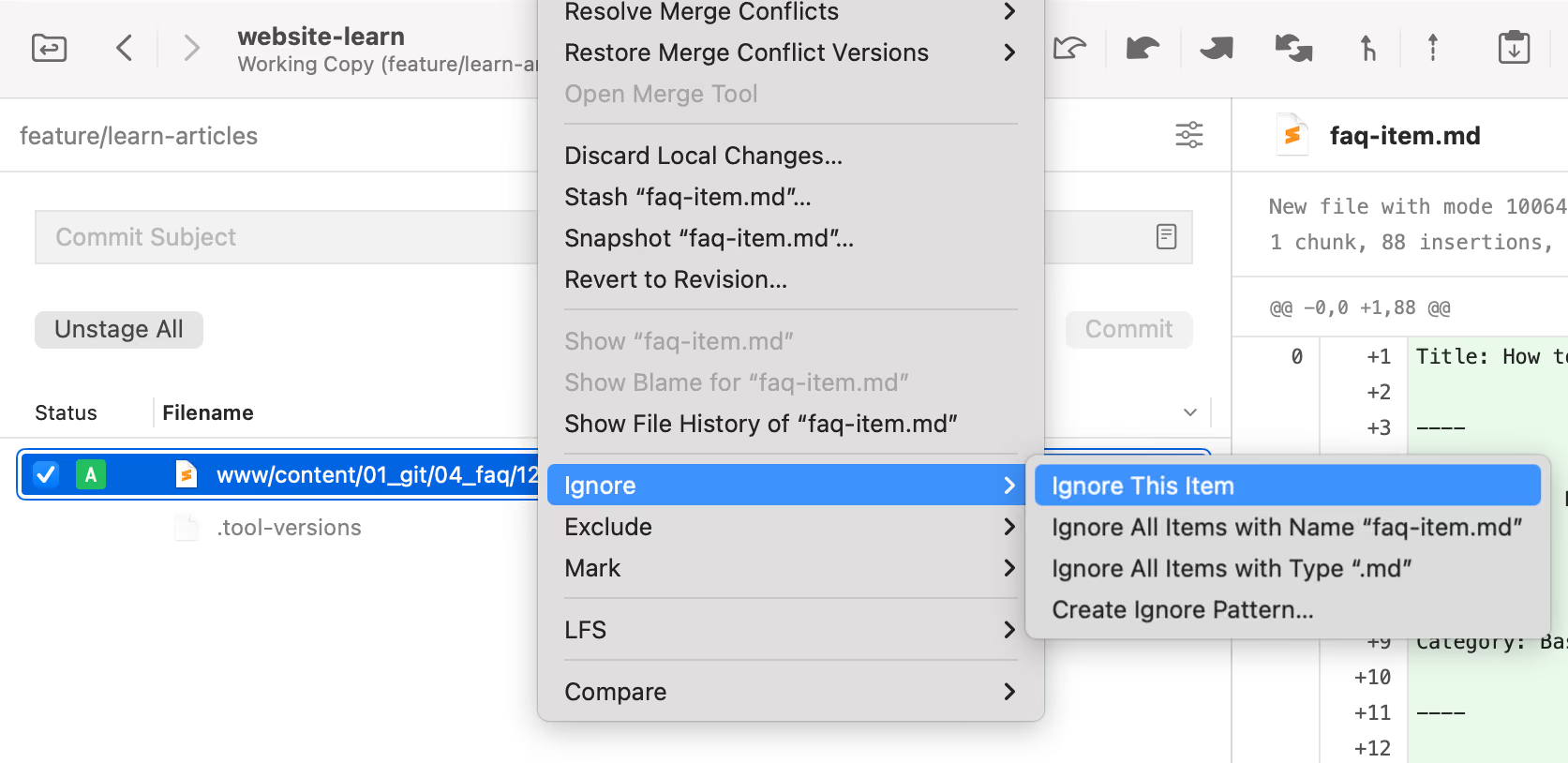
In the Tower Git client, you can simply right-click any untracked file in the Working Copy list and choose "Ignore". Tower will then add the file to your ".gitignore" file for you.
You can also find templates for ".gitignore" files for almost any programming language by visiting the free .gitignore generator on the Tower website.
Learn More
- Check out the chapter on Starting with an Unversioned Project – Command Line edition in our free online book
Download the Cheat SheetFree
Get 18 of our most popular Cheat Sheets in one handy ZIP!

Thanks! Please Check Your Inbox!
Want to win one of our awesome Tower shirts?
Tell your friends about the package!